How to protect your privacy online
The constant threat of cyberattacks makes protecting your online identity and privacy important. If you want to protect your digital presence, you need to combine good security habits with privacy-focused settings and tools. Recommended privacy practices include using unique passwords for different accounts and configuring your browser and mobile device settings to limit unnecessary data collection and tracking.
The steps below can help you protect your online privacy when you’re working, studying, using social networking sites, or engaging in other online activity:
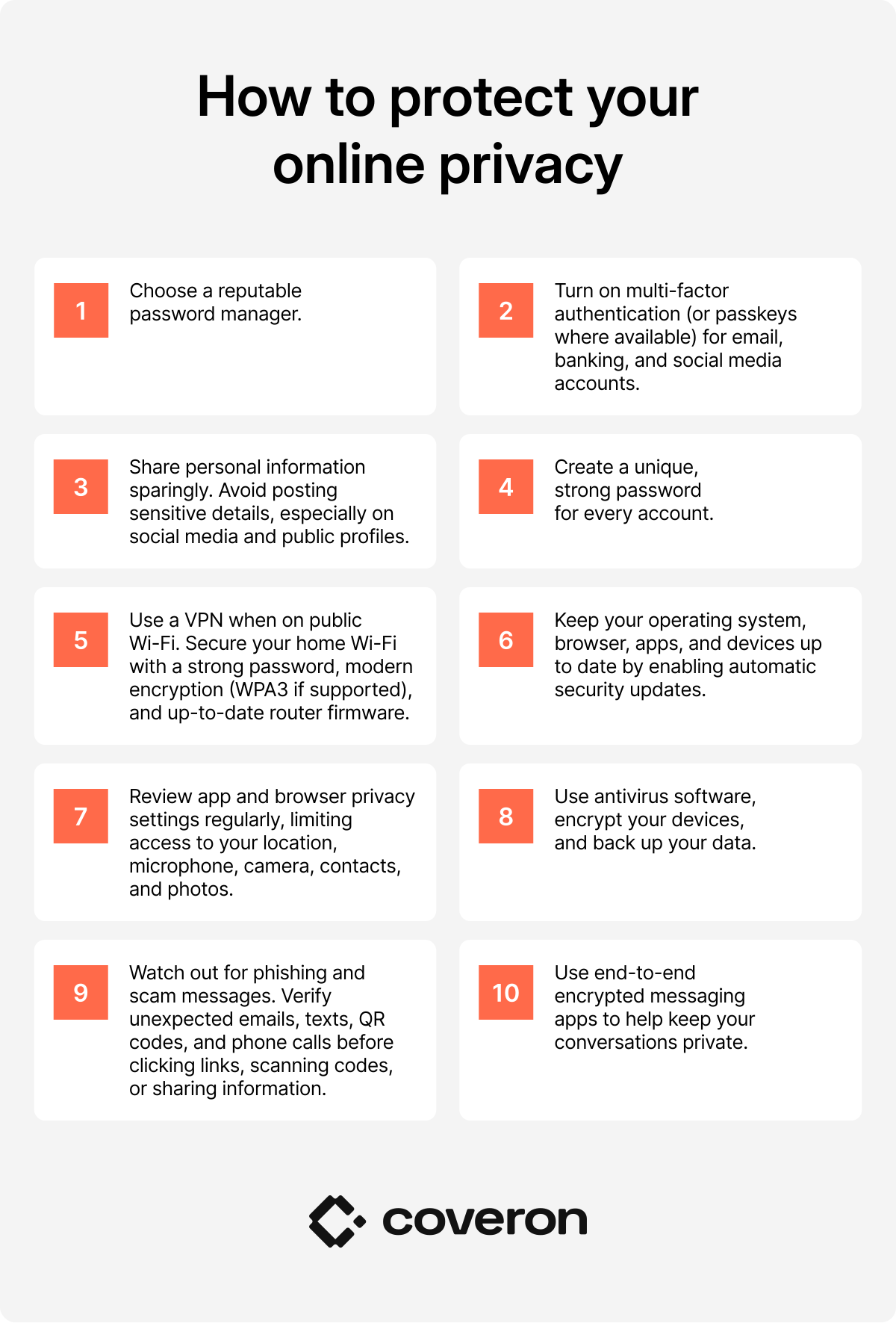
1. Create a password management system
A weak password is often the easiest way for attackers to break into your accounts. With so many accounts to keep track of, you may be tempted to just keep reusing passwords or create easy-to-type but highly insecure password strings. Here’s what you should do instead:
- Choose a trusted password manager, ideally one that can store and generate all the passwords you need.
- Create a strong master password for your password manager.
- Enable two-factor authentication on all your accounts so they stay protected even if cybercriminals crack your password.
- Install your password manager’s browser extension or app so it’s always accessible whenever you browse.
- Start saving your passwords in your password manager instead of storing them in unsecured notes or spreadsheets.
- Check for weak, reused, or compromised passwords and replace them immediately.
- Use passwords generated by your password manager whenever you create a new account or update an existing password.
- Keep recovery options (like account recovery codes and backup authentication methods) secure.
These practices will help you better manage your passwords and make it much harder for cybercriminals to gain access to your accounts.
2. Use strong, unique passwords
Strong passwords form the backbone of the password management system mentioned above. They are harder to guess or crack, helping protect your accounts from unauthorized access.
Create passwords that are long and difficult to guess, using a combination of letters, numbers, and symbols (if supported). Other best practices for creating and storing passwords include making them as unique as possible, not reusing passwords for different accounts, and avoiding personal information, such as your name, birthday, phone number, or pet’s name.
3. Enable two-factor authentication or multi-factor authentication
Two-factor authentication (2FA) and multi-factor authentication (MFA) should be standard practice across your online accounts. They help secure your data in case of a breach and reduce the risk of unauthorized access.
2FA and MFA act as an extra login step that makes it more difficult to take control of your online accounts even if someone else has stolen or hacked your password. Common 2FA and MFA methods include using SMS codes, authenticator apps, and hardware keys for the extra login step. Authenticator apps offer a balance between convenience and security, providing stronger protection than SMS codes while being generally easy to use.
4. Be mindful of social media
Social media platforms have encouraged us to make our lives as public as possible. For bad actors, it’s the perfect way to get information about you and your activity. Websites track user behavior, and oversharing your personal details can increase your exposure to scams and other types of misuse. Cybercriminals and other third parties can collect, analyze, or exploit information you share online to target you more effectively.
If you use social media, be careful about social media scams that could result in identity theft or other forms of fraud. Limit how much information you share online and review the privacy settings on your social media accounts to control who has access to your posts, profile, and personal details. Limiting or removing your digital footprint helps reduce the risk of your personal information being used without your consent.
PRO TIP
Online privacy and protecting personal information go hand in hand. Read our article on how to protect your personal information for more privacy tips.
5. Use a VPN
A virtual private network (VPN) secures your internet connection by encrypting your traffic and masking your real IP address. When you use unsecured public networks at places like coffee shops or airports, a VPN scrambles your data, making it much harder for others on the same network to intercept it.
A VPN also reduces certain forms of online tracking, making it harder for third parties to build a profile of your behavior and tie your online activity to your identity, which further strengthens your online privacy.
6. Keep your software, apps, and devices up to date
Security patches and bug fixes are some of the most reliable ways to protect your devices against cyberattacks and known vulnerabilities. Always make sure that automatic updates are enabled for your devices, programs, and applications. Do the same for your phone and computer operating systems to further improve security.
Beyond preventing malware, keeping your software up to date also strengthens your online privacy. Since websites and other third parties constantly refine their tracking techniques, regularly updating privacy solutions like a VPN ensures they remain effective, so your data stays better protected while you browse.
7. Adjust privacy settings everywhere
Another essential step in protecting your online privacy is reviewing and adjusting the privacy settings in the apps, websites, and software you use.
Privacy settings allow you to limit how much data third parties gather about your activity. Most major platforms, including Google, Apple, Facebook, Instagram, and TikTok, offer controls that let you limit data collection, restrict tracking, and manage how your information is used.
App permissions and browser settings are equally important when it comes to reducing unnecessary tracking. Being familiar with your account and app privacy options is often the first step in understanding how to stop websites from tracking you.
8. Use antivirus tools
Antivirus software protects your devices by detecting and blocking malware that can compromise your personal information. Antivirus tools remain an important layer of protection against attacks that target sensitive data, especially when combined with browser privacy features, tracker blockers, and privacy-focused settings.
An antivirus offers malware detection, regular system scanning, and threat prevention. When combined with broader privacy measures, it can help you maintain strong online security.
9. Watch out for phishing emails and suspicious links
Cybercriminals increasingly use fake emails, websites, and links to steal personal information, often by impersonating trusted companies, services, or contacts. These scams can be highly convincing, using tactics like domain spoofing and brand impersonation to trick users into sharing login details, financial information, or other sensitive data.
Protecting yourself starts with verification and scam awareness. Always check the sender’s email address, inspect links before clicking, and be cautious of unexpected messages that request personal information.
Additional security tools can help reduce risk. For example, email masking — a technique that replaces your real email address with unique, randomly generated aliases for every service or app you use — can limit the exposure of your real email address.
10. Use end-to-end encrypted messaging apps
Not all messaging apps are created equal. To keep your conversations more private, opt for messaging apps that have end-to-end message encryption or other privacy features that can keep your chats safe and prevent third-party access.
While you don’t need to download fully anonymized messaging applications, it’s still a good idea to be aware of how your chosen app handles message data. Make sure it has strong encryption, verified contacts, disappearing messages, and minimal metadata collection in place.
Why is protecting online privacy important?
Protecting your online privacy helps prevent sensitive information about your digital activity from being gathered, shared, or misused. Everything from your X account to your online shopping cart can be tracked and used to build a profile about who you are.
Private information is incredibly valuable to criminals, who continue to find more sophisticated ways to break into and exploit security systems. According to Verizon, 31% of data breaches originate from software vulnerabilities,1 with IBM reporting that the average cost of a data breach in 2025 was $4.4 million.2
Beyond the risks of online scams, identity threats, and financial fraud, web tracking can also lead to unwanted profiling, data misuse, targeted manipulation, and reputational damage. Strengthening your online privacy helps reduce exposure to these risks.
How Coveron can help protect your privacy online
Coveron can help protect your personal data by combining continuous monitoring with alerts and recovery support.
- 24/7 dark web monitoring. It continuously scans dark web sources for exposed personal information (email addresses, phone number, Social Security number, and credit card details) and notifies you if your data is found.
- Credit monitoring. It tracks activity across the major US credit bureaus and alerts you to suspicious events, including new accounts, hard inquiries, and other changes that could indicate identity theft.
- Identity theft recovery. It provides access to identity restoration case managers and reimbursement for eligible recovery expenses if you fall victim to identity theft.
- Online fraud coverage. It reimburses you for eligible losses resulting from online fraud, such as unauthorized transactions, phishing scams, and account takeovers, helping you recover stolen funds quickly.
These features complement strong password practices, MFA, and other online privacy tips outlined in this guide by offering ongoing monitoring of your personal data.
PRO TIP
Check whether your personal data has been exposed using our free Have I Been Hacked tool.
FAQ
Get notified and act immediately.
30-day money-back guarantee
References
- Verizon Business: 2026 Data Breach Investigations Report. https://www.verizon.com/business/resources/reports/dbir/ opens in a new tab
- IBM: Cost of a Data Breach Report 2026. https://www.ibm.com/reports/data-breach opens in a new tab