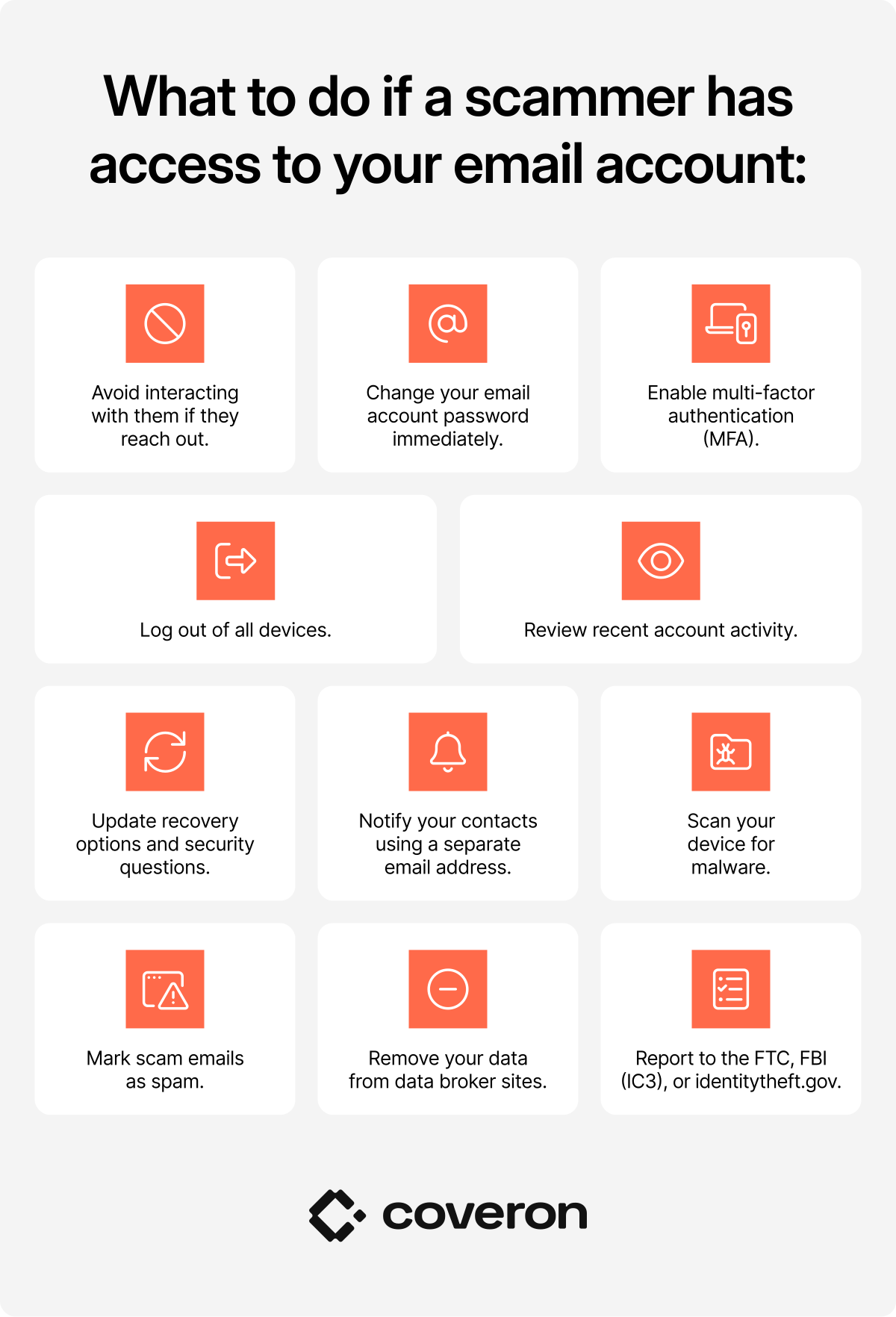
What should you do if a scammer has access to your email account?
If a scammer has gained access to your email account, act fast to regain control and limit the damage.
| Action | Why it matters | What to do |
|---|---|---|
Don’t interact with them if they reach out. | Scammers who already control your account may contact you directly to extract more information. | Avoid replying to any messages from the scammer, even if they claim they can help you regain access. |
Change your email account password. | If the scammer knows your password, they can keep accessing your account. | Create a strong, unique password that’s at least 12 characters long and includes a mix of uppercase and lowercase letters, numbers, and symbols. |
Enable multi-factor authentication (MFA). | Even if a scammer knows your password, MFA can stop them from logging in. | Set up MFA and choose a verification method such as an SMS code, an authentication app, a hardware security key, or biometric verification like a fingerprint or face scan. |
Use a password manager. | Weak or reused passwords make it easy for scammers to access multiple accounts at once. | Use a reputable password manager to generate and store unique passwords for every account. |
Review recent account activity. | Unauthorized logins from unfamiliar devices or locations are a sign that your account is compromised. | Check your login history in your email’s security settings. |
Log out of all devices. | A scammer may still be logged in even after you change your password. | Go to your account settings and end all active sessions to sign out anyone currently logged in. |
Update your account recovery options. | Scammers often change recovery details to lock you out permanently. | Check that your recovery email account and phone number are correct and haven’t been altered. |
Update security questions. | Scammers can use publicly available details, like your birthday or pet’s name, to answer security questions and reset your password. | Replace predictable answers with unique responses that aren’t publicly available. |
Notify your contacts using a different email address. | Scammers may use your account to send fraudulent messages to people you know. | Tell your contacts your email was compromised and warn them not to click links or respond to suspicious messages from your address. |
Scan your device with antivirus/anti-malware software. | Malware on your device may be what gave the scammer access to your account in the first place. | Run a full scan on your computer, phone, or tablet and remove any threats. |
Mark scammer emails as spam. | Marking messages as spam trains your email filter and reduces future exposure. | Report suspicious messages as spam or phishing using your email client’s built-in reporting tools. |
Contact your email provider’s support if locked out. | If you can’t access your account, your provider can help you recover it through verified steps. | Use the “Forgot password” option first, then contact support if it doesn’t work. |
Remove your data from data brokers. | Data brokers sell personal information — including email addresses — to third parties. | Search your name on data broker sites and submit removal requests, or use a data removal service. |
Report to authorities. | Reporting helps law enforcement track and stop scam operations. | File a report with the FTC at reportfraud.ftc.gov, the FBI at ic3.gov, or identitytheft.gov if identity theft is involved. |
PRO TIP
If your email address has been exposed on the dark web, scammers could use it for phishing attempts, identity theft, or unauthorized account access. Not sure if your email address has been exposed? Run Coveron’s free dark web scan to find out.
What should you do if a scammer only knows your email address?
Even without access to your account, a scammer with just your email address can still target you. What can someone do with your email address? They can send you phishing emails and fake login alerts, run password reset scams, and impersonate trusted brands — like a Geek Squad scam email claiming your subscription has been renewed and asking you to call a fake support number.
Reduce your risk by taking these steps:
- Enable multi-factor authentication (MFA).
- Use a strong, unique password that’s at least 12 characters long.
- Review your recent account activity for unauthorized changes.
- Check and update your account recovery options.
- Stay alert to phishing attacks and scam messages.
- Never click suspicious links or share verification codes.
- Use email spam filters to reduce unwanted or malicious emails.
PRO TIP
If a scammer also has your Social Security number (SSN), they can cause far more damage — from opening credit accounts to filing fraudulent tax returns. Read our guide on what someone can do with your SSN to learn how to protect it.
Signs that your email account has been hacked
A hacked email account doesn’t always have obvious signs. Watch for these cues:
- You can’t log in with your usual password.
- Your contacts report receiving strange emails from your address.
- Your “Sent” folder contains messages you didn’t write.
- You get MFA or password reset emails you didn’t request.
- You see login attempts from unfamiliar devices or locations.
- Your inbox fills with spam — a common tactic to bury security alerts.
- You receive notifications confirming purchases, new accounts, or device logins you don’t recognize.
PRO TIP
Hackers rarely stop at your email account. Do you know what someone can do with your phone number? If a scammer gets hold of it, they can hijack your phone number (a SIM swap), intercept two-factor authentication codes, send phishing texts (smishing), or track your location. Protect your phone number as much as you protect your email address.
How can you protect your email address from scammers?
Protecting your email address relies on the same core habits as recovering from a breach:
- Use strong, unique passwords. Never reuse passwords across accounts. A password manager can generate and store secure passwords so you don’t have to come up with them yourself.
- Enable multi-factor authentication. MFA ensures that even if a scammer gets your password, they can’t log in without a second verification step.
- Be mindful of where you share your email address. Only give your address to trusted online services. Avoid entering it on public forums or unverified sites.
- Use a separate email address for signups and subscriptions. Keep your primary address out of low-security databases as they are more likely to be breached or sold to advertisers.
- Consider email address aliases. Many providers let you create alternate addresses that forward emails to your main inbox. If one gets leaked, you can simply deactivate it — your primary address stays unaffected throughout.
- Watch out for phishing scams. Never click links or open attachments from senders you don’t recognize. Verify the sender’s legitimacy by contacting the company directly through official channels.
- Use Coveron’s dark web monitoring. This feature scans the dark web for exposed data — including your email address and Social Security number — so you can react before attackers use it against you.
PRO TIP
Consider an identity theft protection service, which can help safeguard your email address, financial details, and other personal information. Coveron’s Scam Protection is a bundled plan that brings together Coveron’s best tools for online safety.
Coveron alerts you when your email appears in dark web data and shows what was exposed.
30-day money-back guarantee
FAQ
Disclaimer: The trademarks referenced or displayed are for illustrative purposes only. Coveron is not affiliated with, sponsored by, or endorsed by the owners of those trademarks.