How can someone get your phone number?
Getting a phone number rarely requires advanced hacking. In many cases, scammers collect it from public sources, past leaks, or by tricking people into sharing it. Often, it’s simply the result of a lack of caution online. The most common ways scammers use to get a phone number are:
- Public exposure on social media. More often than not, it’s your own digital footprint that puts your phone number within a scammer’s reach. If you’ve listed your number on Facebook, Instagram, or LinkedIn, bots or identity thieves browsing social media networks can easily harvest it, especially if you haven’t properly configured your account’s privacy settings.
- Data breach. Hackers might steal massive amounts of personally identifiable information from online retailers, mobile carriers, or financial institutions. If you’ve used your number to register for any of these services, it might end up in stolen datasets at any time.
- Data broker lists and people search sites. Data broker companies opens in a new tab compile your personal data from online and offline sources with the goal of selling it to marketers, and they do so completely legally. However, just because it’s legal doesn’t mean it can’t be dangerous. Cybercriminals can access that same data, including your phone number and other sensitive details, just as easily.
- Online forms, surveys, and giveaways. You may be asked to provide your telephone number when you enter contests, sign up for promos, or fill out online surveys. While usually it’s only a way for the company to contact you, these forms often bury consent in the fine print, which allows the marketing companies that created these documents to share your data. Sometimes these tempting offers may be a scam from the get-go.
- Stolen mail. While it may seem unlikely, criminals can gather your number from stolen mail, especially that containing bank statements or medical records.
- Social circle. It’s not always hackers or strangers, but people you know who are responsible for your information getting into the wrong hands. Someone in your circle, like your friends, coworkers, or even your employer, could unknowingly provide your number to an untrustworthy source.
- Phishing attacks. Fraudulent texts and emails may trick you into entering your phone number on fake websites that mimic legitimate services. But once you learn how to spot a phishing email or a text, you can spot these attempts before you share any sensitive information.
What can someone do with your phone number?
What someone can do with your phone number includes more than unwanted calls or text messages. A phone number is often tied to your online identity, mobile device, and financial accounts, which makes it a useful starting point for broader attacks. It can be used to run phishing scams, attempt SIM swapping, take over online accounts, gather personal data for identity theft, dox you, spoof your number, or even pressure you into paying money through blackmail. Let’s take a look at what scammers can do with your phone number in more detail.
Gather more information for identity theft
While they can’t fully steal your identity using just your number, scammers can use your phone number to search data broker sites, people search sites, and social media accounts to find your name, home address, or other sensitive information. This information can be used to impersonate you and trick customer service agents, reset account credentials, or apply for services in your name.
How to prevent it: Remove your phone number from online accounts that don’t require it, opt out of data broker lists, and monitor your credit reports for unusual activity.
Perform a SIM swap
In a SIM swap scam, a scammer convinces your mobile phone carrier to transfer your number to a new SIM card. They can then receive your text messages and phone calls, including login codes, which could potentially allow cybercriminals to break into your social media, email, crypto, or bank account.
How to prevent it: Add a PIN or password to your mobile account so any changes require verification, enable port-out protection, and think twice before sharing your number.
Dox you
A scammer can use your phone number to find and expose private data about you online with the goal of harassing, intimidating, or threatening you. This act is called doxing (also spelled “doxxing”), and it can lead to real-world problems like stalking, harassment, job loss, or even threats of physical harm.
How to prevent it: Keep your number off public websites and social media profiles, limit what personal information you share online, and if possible, use a second number for non-essential services.
Bypass two-factor authentication (2FA)
If your online accounts rely on SMS-based two-factor authentication (2FA), scammers can intercept them after SIM swapping and use them to access the accounts, change your passwords, and lock you out. This type of scam is so effective because many services still use SMS for identity verification today.
How to prevent it: Use an authenticator app instead of SMS-based verification.
Scam you
Scammers may use your phone number to contact you, pretending to be your bank, delivery service, or a government agency. These social engineering scams often try to get you to share codes, click on malicious links, or provide financial details by creating a sense of urgency and exploiting your trust in these organizations.
How to prevent it: Do not share codes or personal data. If a message seems urgent or unexpected, contact the company directly using its official website.
Blackmail you
A scammer may use your phone number to find your personal data and send threats. They might claim they’ve hacked your device or obtained private or even compromising material and demand payment in a cyber extortion attempt.
How to prevent it: Do not respond or pay. Report the message to your carrier and, if the matter is serious, file a police report.
Send spam calls and messages
Your phone number may be added to spam lists, leading to scam calls, robocalls, and repeated text messages. The messages may try to trick you into clicking on malicious links, giving away personal information, or paying fake fees.
How to prevent it: Don’t interact with “Potential spam” calls or ones from numbers you don’t recognize, and immediately block them, use call-blocking tools, and report spam texts by forwarding them to 7726 (doing so alerts your mobile carriers to investigate).
Spoof your number
Scammers can fake your number as the caller ID and use it to scam others. You may receive calls from people who think you contacted them.
How to prevent it: Inform your contacts if this happens and ask them to verify unusual requests before responding.
However, not all risks carry the same weight. The table below summarizes the most common risks, how likely they are, and what consequences they can lead to.
| Action | Likelihood | Level of danger | Consequences |
|---|---|---|---|
Identity theft research | High | Very high | Personal data exposure, impersonation, risk of identity theft |
SIM swapping | Low to medium | Very high | Loss of service, intercepted login codes, account takeovers |
Doxing | Medium | High | Harassment, stalking, exposure of private data, reputational damage |
Bypass of 2FA | Medium | High | Unauthorized access to online accounts, password changes, account lockouts |
Phishing | High | High | Stolen credentials, financial loss, compromised financial accounts, risk of clicking on malicious links |
Blackmail | Low to medium | High | Threats, pressure to pay, emotional stress, potential data exposure |
Spam | High | Low to medium | Frequent scam calls and text messages, risk of clicking on malicious links |
Number spoofing | Medium | Medium | Your number used in scams, angry callbacks, reputational issues |
Get notified and act immediately.
30-day money-back guarantee
Signs that a scammer has your phone number
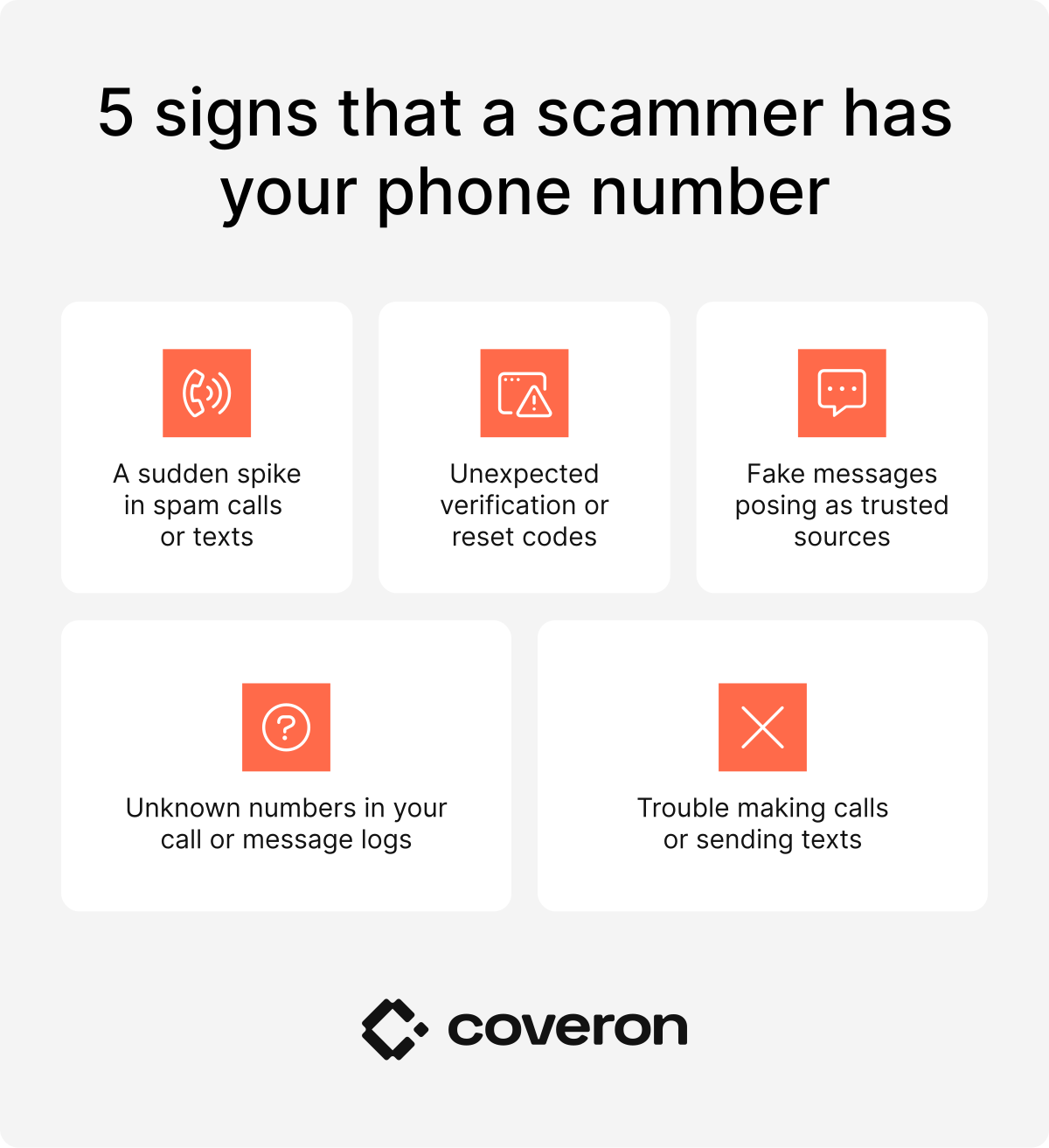
A compromised phone number does not always come with an obvious warning. Sometimes the first sign is a wave of spam. Other times, it’s a sudden loss of service on your mobile phone. However, most of the time, it’s not just one but a combination of several red flags that suggest your number has gotten into the wrong hands. If a scammer gets your phone number, you may notice:
- A spike in spam calls or texts. If you receive an influx of scam calls or one-ring phone calls that hang up before you can answer, it could mean that your phone number has ended up on a spam list somewhere. One-ring phone scams try to get you to call back, often to a premium-rate number that charges hefty fees.
- Messages with verification codes or password reset attempts you didn’t ask for. Weird and random SMS messages with 2FA codes, verification links, or password reset prompts you didn’t request from your account can signal that somebody is attempting to log in to your account without your knowledge.
- Fake text messages pretending to come from legitimate sources. It can even be simple messages from senders you don’t know. These messages may contain phishing links, malware, or attempts to gather even more personal information.
- Unfamiliar numbers in your call or message logs. If you start seeing calls or texts from numbers you don’t recognize, especially if they’re frequent or come from unusual locations, it could be a sign that your phone number is compromised.
- Inability to make calls or texts. Sudden inability to send messages or make phone calls could mean someone performed a SIM swap on your card.
Pro tip
Use dark web monitoring so you can find out faster if your phone number or other sensitive information appears in a data breach or on the dark web.
Should you be worried if a scammer has your mobile phone number?
If you think a scammer has gotten ahold of your phone number, it’s completely normal to feel concerned. However, your level of concern should really depend on what other information they have. Just your number may not be enough to fully impersonate you. However, what someone can do with your Social Security number if they get their hands on it is far more serious — it can lead to full-on identity theft. Still, having your phone number leaked is definitely more dangerous than what someone can do with your email address.
That said, when your phone number is combined with details like your name, email address, or home address, it becomes a much bigger threat. With those few pieces, a scammer could try to bypass security questions, trick companies into gaining access to your online accounts, or send convincing phishing messages. Below are different scenarios that can happen depending on what other information is exposed alongside your phone number.
| What information does the scammer have? | What could happen? | What should you do? |
|---|---|---|
Phone number only | More spam, smishing, spoofing, scam attempts | Block unknown contacts, tighten privacy settings, watch out for phishing scams |
Phone number and full name | Easier lookups in public records and data broker sites | Remove exposed profiles, monitor for doxing, check people search sites |
Phone number and email address | Password reset attempts, more convincing phishing attacks | Change email password, secure recovery methods, review account activity |
Phone number and password | Fast account takeovers, especially if the same password is reused | Change passwords everywhere that reuse them, use a password manager |
Phone number and home address | Higher doxing risk, targeted scams, impersonation | Increase privacy controls, warn household members, document harassment |
Phone number and bank details | Fraud attempts against financial accounts | Contact the bank, review bank statements, enable fraud alerts, watch credit reports |
Phone number and Social Security number | High risk of identity theft and new-account fraud | Freeze credit with the credit bureaus, file a fraud alert, report to the Federal Trade Commission (FTC) |
Phone number and active SIM control | Intercepted two-factor authentication codes, SIM-swapping fallout | Contact your phone service provider immediately, secure online accounts, change recovery options |
Each added piece of information increases the risk and makes it easier for a scammer to access your online accounts or impersonate you. To start protecting yourself, you can take a look at our guides on what someone can do with your passport number and what to do if a scammer has your email address. Additionally, learn what someone can do with your address.
What to do if a scammer has your phone number
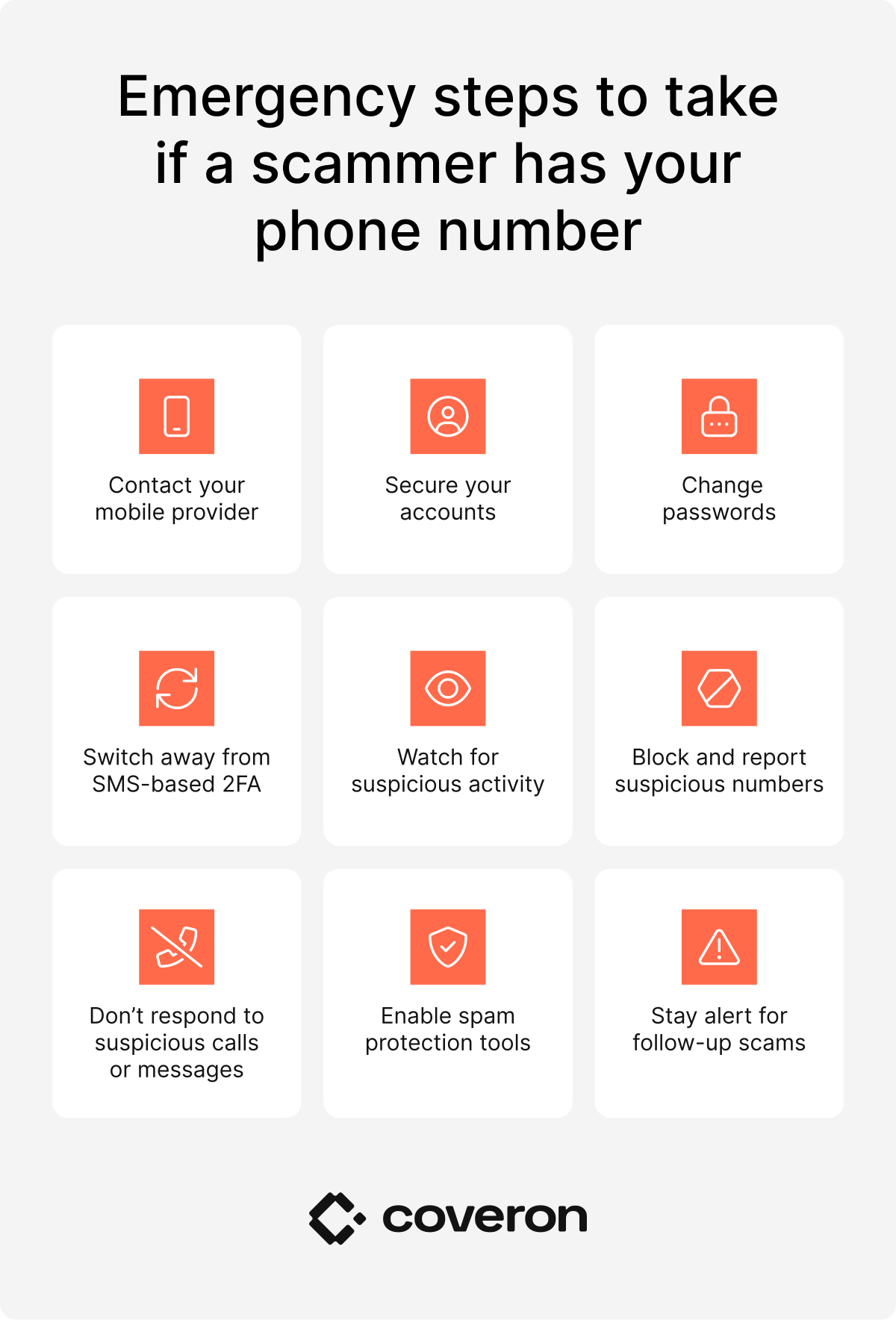
If you suspect your phone number has been exposed, act quickly. Below is a quick cheat sheet to help you limit damage, secure your online accounts, and reduce the risk of further attacks. Move through the steps one by one, starting with the most urgent:
- Contact your mobile provider. Start by contacting your phone service provider, especially if you notice issues like lost signal, inability to receive messages, or unexpected account changes. Ask to check for SIM card swapping or unauthorized activity and to secure your account with a SIM PIN, password, or port-out protection. You can also request a fraud alert on your account to flag unauthorized changes or access attempts.
- Secure your online accounts. Focus first on your most important online accounts, including email, banking, and social media accounts, since these often act as entry points to other accounts and sensitive data. Log out of all active sessions, review account recovery options, and remove any details you don’t recognize. If a scammer gains access to one account, they may try to reset others, so securing these accounts early is critical. Pay close attention to any recent changes you didn’t make.
- Change your passwords. Update passwords for all accounts linked to your phone number. A strong password should be at least 12-16 characters long and include a mix of uppercase and lowercase letters, numbers, and symbols, while avoiding common words or patterns. Each account should have a unique password, so one data breach doesn’t affect your other accounts. Using a password manager can help you generate and store secure passwords more safely.
- Turn off SMS-based 2FA. SMS-based 2FA is vulnerable if someone gains control of your number through SIM swapping. Instead, switch to an authenticator app, which generates codes directly on your device. For highly sensitive accounts, you can also use hardware security keys for added protection.
- Watch your online and financial accounts for suspicious activity. Regularly review your account activity across email, financial, and other accounts. Suspicious logins may include access from unfamiliar locations or devices, password reset requests you didn’t initiate, or changes to account settings. You might also notice messages sent from your account that you didn’t write. If you see any of these signs, secure the account immediately and review recent activity in detail.
- Block and report suspicious numbers. A suspicious number is typically one you don’t recognize that repeatedly contacts you, asks for personal information, requests codes or payments, or uses urgent language to pressure you. Block these numbers on your device to prevent further contact. You can also report scam texts by forwarding them to 7726, which alerts your mobile carrier, and report fraud to your carrier or the Federal Trade Commission (FTC) at reportfraud.ftc.gov. If you receive blackmail or extortion messages, threats of data exposure or physical harm, or experience financial loss, consider filing a police report.
- Don’t respond to suspicious calls or messages. Suspicious messages often ask for sensitive information, include unexpected links, or claim urgent issues with your online accounts. They may pretend to come from banks, delivery services, or a government agency and try to create pressure to act quickly. Avoid clicking links, downloading attachments, or sharing any details, even if the message looks legitimate. If in doubt, contact the company directly using its official website.
- Enable spam protection tools. Use your phone’s built-in features or third-party apps to block unwanted calls and texts. Many phones offer call filtering or spam detection settings that can automatically flag or block suspicious contacts. While these tools won’t stop every threat, they can significantly reduce unwanted contact.
- Stay alert for follow-up scams. Once your phone number is exposed, scammers may continue targeting you using different tactics. You may receive new phishing scams, spoofed calls, or repeated attempts to access your online accounts. Keep monitoring your financial accounts, credit reports, and online accounts for unusual activity, such as unfamiliar transactions, new accounts, or login attempts you didn’t make. Staying alert over time is key to preventing further damage.
How to protect your phone number
Prevention is your strongest defense. Below are the ways you can protect yourself and reduce the risk of your number falling into the wrong hands:
- Don’t post your mobile number on public platforms or social media.
- Avoid using your phone number for giveaways or contest entries, or use virtual numbers for these needs.
- Enable a PIN for your SIM card and ask your mobile carrier to add account-level security measures.
- Refuse to provide your phone number at stores or events unless it’s strictly necessary.
- Never click on suspicious links from unknown senders.
- Don’t respond to suspicious messages or calls because doing so can result in your being added to a spam call list.
- Avoid giving out your number during public Wi-Fi logins.
- Check which apps have access to your device, SIM information, or personal identifiers, and revoke any unnecessary permissions that could indirectly expose your mobile number.
- Shred physical mail that contains your phone number before discarding it.
- Use a data removal service, like Incogni, which scrubs your phone number from data brokers on your behalf.
- Get help from identity protection services to assist if your identity has been stolen.
- Regularly check your digital footprint by searching your name and phone number online to see where your details are publicly visible and request their removal where possible.
Coveron solutions to keep your identity safer
Coveron’s identity theft protection service provides an all-around defense system to not only protect your personal details, like your phone number, but also your entire identity:
- The dark web monitoring feature alerts you if your cell phone number or other sensitive data is found on dark web forums.
- The credit monitoring feature informs you if anyone attempts to use your identity to open a new account or loan.
- The identity theft recovery feature offers expert assistance to help you recover from identity theft.
- The cyber extortion protection feature provides legal and technical support in handling cyber extortion schemes.
- The online fraud coverage feature helps reimburse you for financial losses from scams like impersonation, fake job offers, and crypto fraud.
- The cyber attack coverage feature offers support and reimbursement if malware, trojans, or ransomware compromises your devices or systems.
These Coveron features are just some of those designed to help keep your identity safer and support you in the event of a threat.
Coveron monitors your number on the dark web and alerts you if it leaks.
30-day money-back guarantee